TL;DR: I’m the founder of ShrtFly. Here’s how to sign up, create your first short link, and start earning — written by the person who built the platform, with the actual signup flow as it works in 2026 (not the 2020 version you’ll find in older guides). Total time from signup to your first earning link: about 4 minutes.
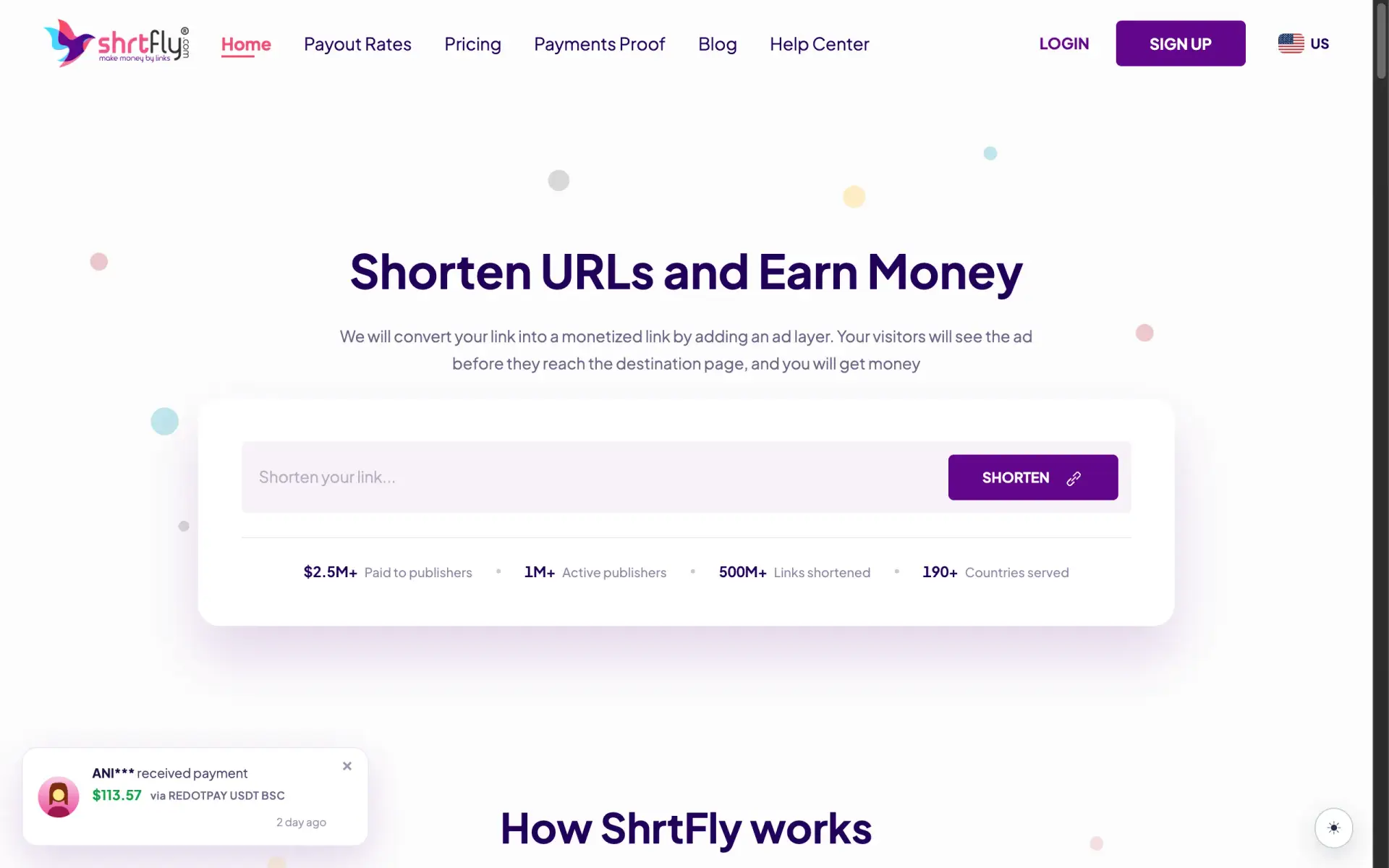
I built ShrtFly in 2017. Since then, we’ve paid out earnings to over 1 million active publishers, processed 500 million+ shortened links, and served traffic from 190+ countries. If you’ve landed here, you’re probably looking at us as a way to monetize your traffic — a blog, a YouTube channel, a Telegram group, an Instagram bio link — without owning ad inventory yourself.
This post is the straight-line getting-started guide I wish every new publisher would read before they sign up. No fluff, no “earn $10,000 a month” promises. Just the exact steps as the flow actually works today, real numbers from our public payout-rates page, and the few founder-level tips that will save you a month of trial and error.
A quick honest note before we start. The older getting-started post we had on this blog described an account-type selection (“Publisher / Advertiser”) and a separate publisher-details form. We simplified the signup flow — that two-step process is gone. New users now register with one short form and land directly in the dashboard. If you’ve read an older guide somewhere, ignore the older steps; the version below is current.
Here’s what I’ll cover:
- The actual signup flow (5 fields, ~30 seconds)
- Email verification and first login
- Creating your first short link
- How earnings work, with real per-country CPM rates from our public payout page
- Payout methods and the $3 minimum
- The Rewards Milestone Program (a new feature most publishers don’t know about)
- The Android app
- Founder advice for your first 30 days
Step 1: Sign Up for ShrtFly
Head to shrtfly.com/account/signup. The form has five fields and looks like this:
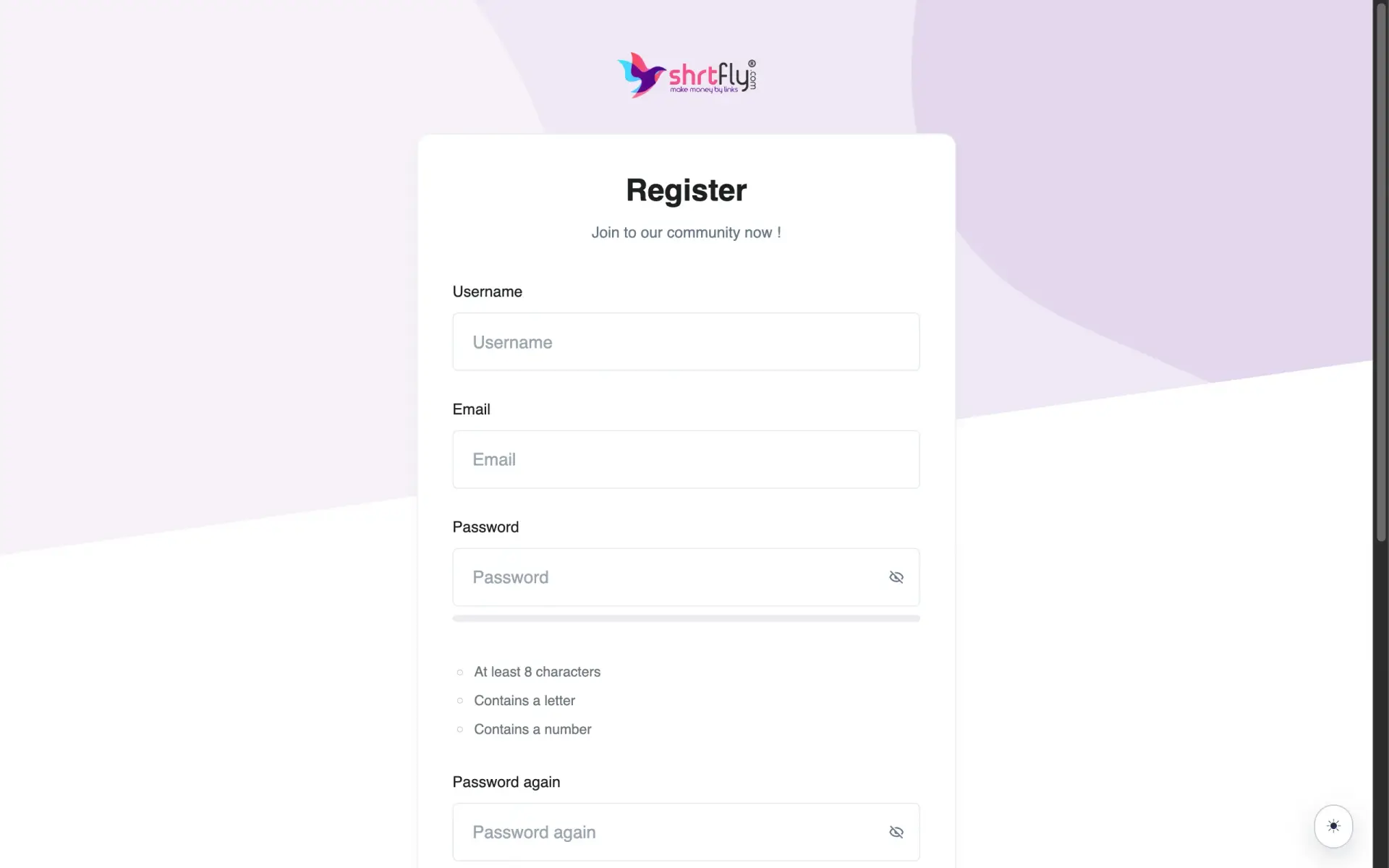
Fill in:
- Username — this is what’ll appear in your dashboard and on any referral links you create
- Email — a verification link goes here, so use a real address you can check
- Password — at least 8 characters, must include one letter and one number
- Password again — same value, to confirm
- Where will you share your links? — pick the closest match: Website/Blog, YouTube, Telegram, Social media (Instagram, X, Facebook…), Other, or “I don’t have an audience yet”
That last dropdown matters more than people realize. Behind the scenes, we use it to match your account to the right advertiser inventory. A blog audience and a Telegram audience get slightly different ad pools, because the traffic patterns are different. Pick the one that best describes where most of your clicks will come from.
Tick the terms checkbox (it’s pre-ticked by default) and hit Register.
Step 2: Verify Your Email and Log In
Check your inbox — including the spam folder, because the verification email occasionally lands there on first attempts. Click the verification link, and your account is active.
Now go to shrtfly.com/account/login and sign in.
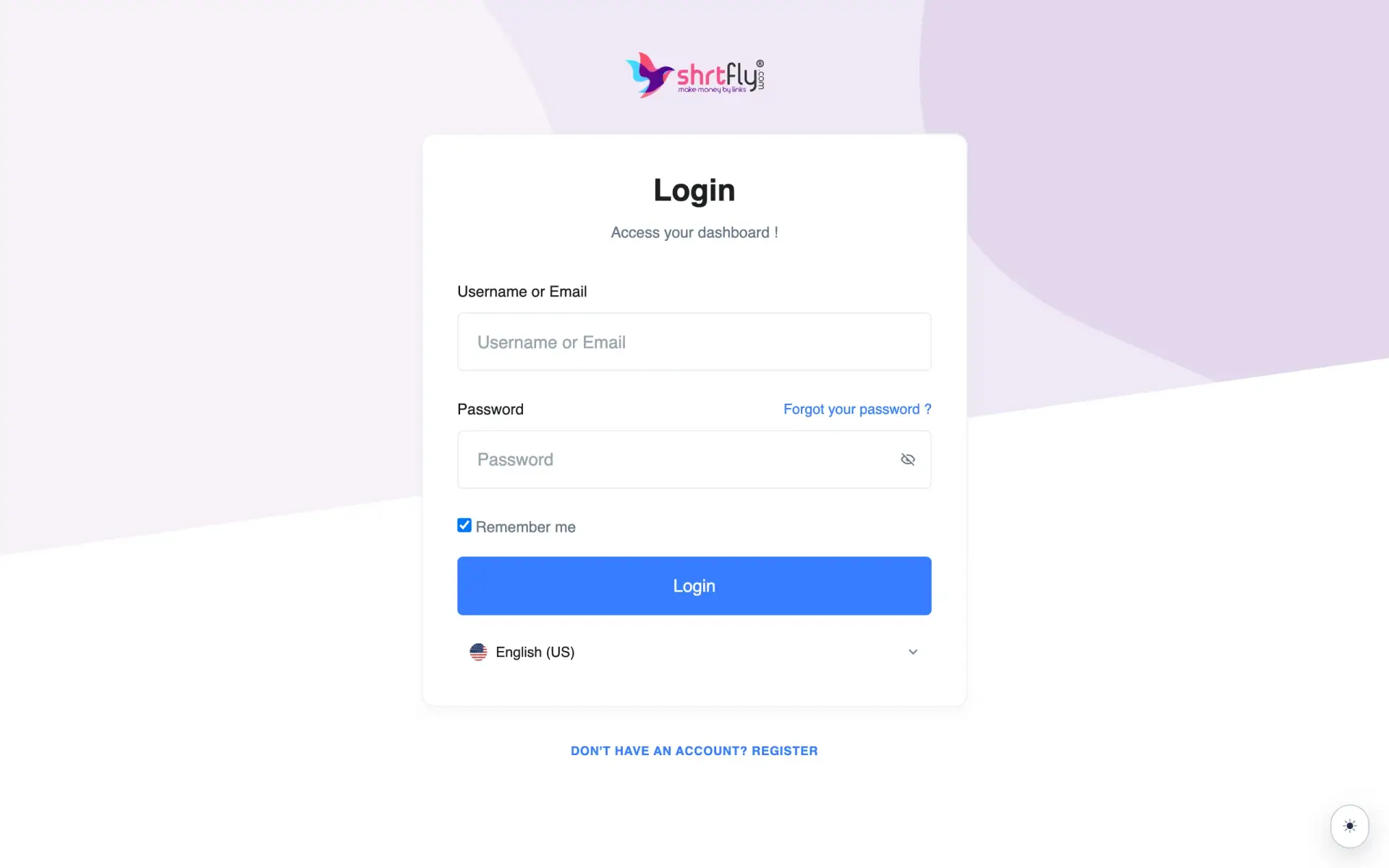
If you forget your password later, the “Forgot your password?” link on the password field row sends a reset email. We’ve covered that flow in a dedicated reset-password guide if you ever need it.
Once you’re in, you land directly on your dashboard. There’s no “now choose Publisher or Advertiser” step anymore — we removed it in the simplification.
Step 3: Create Your First Short Link
In the dashboard sidebar, click Create Link.
Two things you can do here:
- Paste a long URL. Any destination — a blog post, an affiliate link, a YouTube video, a file download. We don’t care what’s behind it as long as it’s not in our prohibited categories (the full list is in the terms, but the short version: no adult content unless you specifically toggle the “Adult” link type, no malware, no illegal content).
- Custom alias (optional). You can set a memorable slug like
shrtfly.com/my-yt-video-q4instead of letting us auto-generateshrtfly.com/aB3xP9. Useful if you’re sharing the link in a context where readability matters.
Hit Shorten. Done. Copy your link, share it.
Step 4: Share Your Link and Earn
Here’s how the money actually works.
When someone clicks your short link, they see a short ad on the way to your destination URL. We get paid by the advertiser for showing them that ad, and we share the revenue with you. The size of that share depends on where the visitor is from — a Tier-1 click (US, UK, Canada) pays more than a mid-tier click, which pays more than a Tier-3 click. That’s not because we prefer one country over another; it’s because that’s what advertisers bid for inventory in each market.
This is also why I always tell new publishers: the URL doesn’t make money — the visitor does. Creating 1,000 short links and not sharing them earns you exactly nothing. The same person clicking 10 links earns about as much as 10 people clicking once each.
The strongest places to share short links in 2026:
- Your own blog or website — high trust, high click-through, no policy risk
- YouTube video descriptions — works well for tutorial and download-niche content
- Telegram channels — among the highest-converting traffic sources because the audience is intent-driven. We have a dedicated post on this: how to earn money from a Telegram channel with URL shorteners
- Discord servers with relevant communities
- WhatsApp broadcast / community groups (where shortlinks are allowed)
- Twitter/X threads linking to download or content destinations
- Reddit comments — only in subreddits where shortlinks are allowed, and only when the link is genuinely useful
What I’d skip: Instagram bio links (low intent, low CPM unless your audience is genuinely converting), generic comment-link spam (will get you flagged), and any setup that adds shortlinks where users don’t expect them.
How Much Can You Actually Earn?
This is the question every new publisher asks, and the honest answer is: it depends entirely on where your traffic comes from. Our payout rates are public on the shrtfly.com/payout-rates page — no login required to see them. Here’s what the current top of the table looks like:
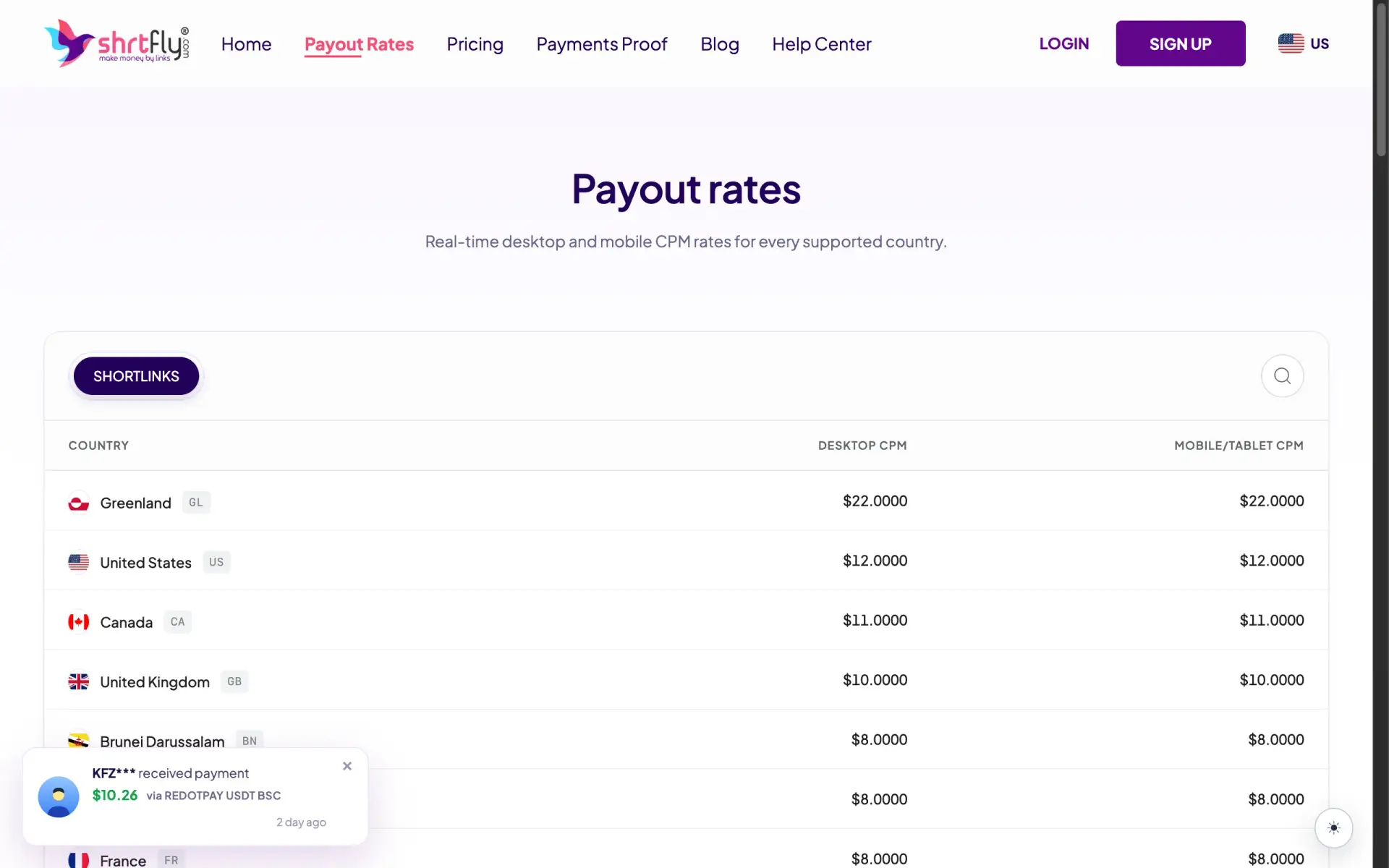
A few honest observations from the table that the marketing page won’t tell you up front:
- US, Canada, and UK pay the most ($12, $11, $10 CPM respectively) — Tier-1 English-speaking traffic is the highest-bid inventory across the entire shortener industry, not just ours
- Mid-tier markets like Brazil ($7), Germany ($8), Thailand ($6) sit at the second tier — strong, sustainable RPMs
- India sits at $3 CPM — it’s paid, it’s real money, but it’s lower than Tier-1 rates by quite a margin. If your audience is mostly Indian, you’ll likely earn more on an India-native network like GPlinks, which has an India-optimized advertiser pool. I’ve explained this honestly in the best URL shortener comparison
- Russia is at $0.10 CPM — advertiser inventory has dried up there, this is the market reality across the industry, not something specific to our platform
The earnings calculator on the same page (at the bottom) is useful: set your audience country, slide the daily-visitor count, and it shows your projected monthly earning. For example: 1,000 daily US visitors at the current $12 CPM works out to roughly $360/month / $4,380/year before AdBlock losses and seasonality.
That calculator number is the public marketing number — what actually lands in your account is typically 70–85% of it after AdBlock and bot filtering. Plan with the 70% figure mentally, not the calculator headline.
Payout Methods and the $3 Minimum
ShrtFly’s overall minimum payout is $3, which is the lowest threshold of any reputable URL shortener I know of in 2026. Different methods have different minimums though, so here’s the actual breakdown:
| Method | Minimum |
|---|---|
| USDT Polygon | $3 |
| PayPal | $5 |
| UPI | $5 |
| USDT BSC | $10 |
| RedotPay | $10 |
| Wire Transfer | $500 |
| Payoneer | $500 |
USDT Polygon at $3 is the fastest way to cash out your very first earnings — useful when you’re testing the platform and want to see actual money land before you commit. PayPal and UPI at $5 are the most common for established publishers. Wire Transfer and Payoneer at $500 are for high-volume publishers cashing out larger amounts.
Withdrawal frequency: daily. Unlike most networks that hold payouts NET 7 or NET 15, we clear withdrawal requests the same day. There’s a dedicated payout request walkthrough if you want the step-by-step on how to actually trigger one.
The Rewards Milestone Program
This is a feature we added more recently that not many new publishers know about, and it’s worth understanding before you start.
On top of normal click earnings, ShrtFly pays additional rewards for hitting specific milestones:
- Link creation milestones — you earn extra as you cross certain link-count thresholds
- Referrals — you earn a percentage of what publishers you refer go on to earn, plus a one-time bonus when they reach certain milestones
- Login streaks — consistent daily logins unlock additional rewards over time
Specific tier amounts move occasionally based on market conditions (I don’t want to quote a number in a blog post that goes stale six months from now), so the current values are visible inside your dashboard once you’re logged in. The point is: if you’re treating ShrtFly as a “create-link-and-forget” tool, you’re leaving real money on the table by ignoring these.
The referral leg is genuinely worth your attention. If you have any kind of community — a Telegram group, a Discord server, a niche subreddit you’re active in — your referral link can quietly become a second revenue stream that runs alongside your link earnings.
The ShrtFly Android App
If you’re managing links on the go, we have an Android app on the Google Play Store:
The app handles everything the web dashboard does — create links, check analytics, monitor earnings, request payouts. For publishers running Telegram channels or social media accounts from their phone, it’s much faster than the mobile web version of the dashboard.
(For iOS, the mobile-web version of shrtfly.com works well in Safari and is added to home screen as a PWA. A native iOS app is on the roadmap.)
Founder Advice for Your First 30 Days
This is the section I most wish someone had written for me when I was on the publisher side of any ad network years ago. Five things, in order of importance:
1. Pick one traffic source and go deep before adding more. New publishers often try to share links across six platforms at once and end up with low click volume on each. Pick the one place you already have an audience or can build one fastest, and focus there for at least the first 30 days. You can always expand later.
2. Track which destinations earn the most on your traffic. Inside the dashboard, the per-link analytics show CPM by destination URL. After your first 1,000 clicks, you’ll start seeing patterns — certain types of destinations (downloads, software pages, movies) consistently pay more than others. Lean into what’s working.
3. Don’t worry about “high CPM countries” if your audience is fixed. I see new publishers paralyzed by the rate table — they want US clicks but their audience is Indonesian, and they end up doing nothing. Run with the audience you have. A consistent stream of $1 CPM clicks is better than a fantasy of $12 clicks you never actually get. Once you’re earning, you can think about improving the country mix of your traffic.
4. Withdraw your first $3 early — even if you don’t need to. The dashboard balance doesn’t feel real until you see the actual money land. The lowest threshold ($3 USDT Polygon) is intentionally set there so publishers can do this. It builds trust with yourself in the platform before you scale up.
5. Read the prohibited content section in the terms once. Most publishers never read it and end up with a flagged account because they linked to something inadvertently prohibited. Five minutes of reading saves a support ticket.
FAQ
Do I need a website to earn on ShrtFly?
No. Plenty of our top publishers earn entirely from Telegram channels, YouTube descriptions, or social media. The signup form’s “Where will you share your links?” dropdown explicitly includes the “I don’t have an audience yet” option — start, build an audience while you’re testing, and grow from there.
What’s the minimum payout on ShrtFly?
$3 via USDT Polygon — the lowest in the reputable URL shortener space. PayPal and UPI sit at $5, USDT BSC and RedotPay at $10, Wire Transfer and Payoneer at $500.
How long does it take to make $100 with ShrtFly?
It depends entirely on traffic. Roughly 8,000–10,000 monthly US clicks at our $12 CPM gets you past $100/month. Tier-3 traffic needs higher volume to arrive at the same number. There’s no shortcut — the network can only pay you for the clicks you actually send.
Is ShrtFly the best URL shortener for Indian traffic?
Honestly, no. We pay $3 CPM for Indian clicks, which is real money but lower than India-native networks like GPlinks whose advertiser pool is India-optimized. If your audience is 80%+ Indian, you’ll earn more there. I’ve written about this honestly in the best URL shortener comparison — and for any other audience mix, ShrtFly’s $3 minimum, daily payouts, and seven payout methods are genuinely hard to beat.
Does ShrtFly have a mobile app?
Yes — Android, on the Google Play Store. iOS uses the mobile-web version (PWA-installable) for now.
Can I run ShrtFly alongside Google AdSense on the same site?
Yes. ShrtFly is AdSense-safe — our interstitial format doesn’t conflict with AdSense policy. I’ve covered the broader topic in why Google AdSense doesn’t allow URL shorteners (and the 2026 fix).
Summing Up!
The full path from signup to your first paid withdrawal is straightforward: register, verify email, create your first link, share it with your audience, watch the earnings tick up, withdraw at $3.
For most publisher use cases — Tier-1 traffic, mixed-geo audiences, or specialised niches like torrent / magnet-link / file-sharing (where ShrtFly is in a class of its own thanks to the copyable magnet popup at the final step that no other major shortener handles cleanly) — ShrtFly’s combination of $3 minimum, daily withdrawals, seven payout methods, and AdSense-safe interstitial is genuinely hard to beat.
If your audience is mostly Indian, I’d be straight with you and point you toward an India-native network as your primary, and use ShrtFly as a secondary for whatever non-Indian traffic does come through. That honesty is the only way this post is useful to you.
Once you’re set up and earning, the next things worth reading are the best URL shortener comparison (to understand where we fit), the Telegram earnings guide if that’s your main traffic source, and the withdrawal request walkthrough when you’re ready for your first payout.
Sign up at shrtfly.com/account/signup — takes 30 seconds, lands you in the dashboard, and you can have your first short link created in under four minutes from now.